How to Use GoodBudget for Zero-Based Budgeting
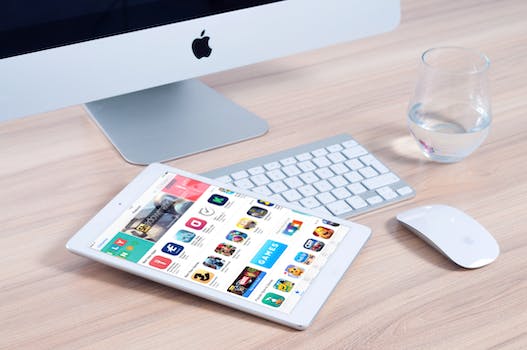
Introduction to Zero-Based Budgeting with GoodBudget
The free GoodBudget app setup is a powerful tool for implementing zero-based budgeting, a method where every dollar is assigned a purpose. According to the GoodBudget Official Documentation (2024), this approach ensures that all income is allocated towards specific expenses or savings goals. With its envelope system, cross-device sync, and reporting features, GoodBudget aligns perfectly with zero-based budgeting principles.
Why GoodBudget Works for Zero-Based Budgeting
GoodBudget’s envelope system allows users to categorize their expenses into virtual envelopes, making it easier to track and manage spending. As highlighted in the GoodBudget Official Documentation (2024), this system ensures that every dollar is assigned a purpose, which is a core principle of zero-based budgeting. Additionally, GoodBudget’s cross-device sync feature enables users to access their budget from multiple devices, and its reporting features provide valuable insights into spending habits.
Step 1: Setting Up Your Envelopes
To set up envelopes in GoodBudget, users should start by categorizing their expenses into groups such as rent, groceries, and savings. According to the Consumer Financial Protection Bureau (2023), recommended percentages for each category based on income are:
| Category | Recommended Percentage |
|---|---|
| Housing | 30% |
| Transportation | 10-15% |
| Food | 10-15% |
| Savings | 10-20% |
Step 2: Linking Accounts vs. Manual Entry
When setting up GoodBudget, users have the option to link their bank accounts or enter their expenses manually. As noted in the NerdWallet Budgeting Tools Review (2024), linking bank accounts can simplify the process but also poses security risks. On the other hand, manual entry can provide a better awareness of spending habits but may be more time-consuming.
Step 3: Tracking Irregular Expenses
To track irregular expenses such as car insurance or property taxes, GoodBudget offers an Annual Expenses feature. According to the GoodBudget User Guide (2024), users can divide the total cost of these expenses into monthly allocations, making it easier to budget for them.
Real-Life Example: A $3,500/Month Budget
Here is an example of how to break down a $3,500/month budget into envelopes:
| Category | Budgeted Amount |
|---|---|
| Rent | $1,500 |
| Groceries | $500 |
| Transportation | $300 |
| Savings | $500 |
| As shown in this example, if overspending occurs in one category, users can adjust their budget by transferring funds from another category. |
Advanced Tips: Shared Budgets & Reports
For couples or shared households, GoodBudget offers the option to sync envelopes for shared expenses. As noted in the GoodBudget Blog (2024), this feature allows users to track and manage their shared expenses together. Additionally, GoodBudget’s reporting features provide valuable insights into spending habits, helping users to identify areas for improvement.
Frequently Asked Questions
What is zero-based budgeting?
Zero-based budgeting is a method where every dollar is assigned a purpose. According to a study by the Journal of Financial Planning (2020), this approach can help individuals and households achieve their financial goals.
How do I set up envelopes in GoodBudget?
To set up envelopes in GoodBudget, users should start by categorizing their expenses into groups such as rent, groceries, and savings. As recommended by the Consumer Financial Protection Bureau (2023), users should allocate their income into these categories based on their individual needs.
What are the benefits of using GoodBudget?
The benefits of using GoodBudget include its envelope system, cross-device sync, and reporting features. According to the GoodBudget Official Documentation (2024), these features make it easier to track and manage spending, and provide valuable insights into spending habits.
Can I use GoodBudget for shared expenses?
Yes, GoodBudget offers the option to sync envelopes for shared expenses. As noted in the GoodBudget Blog (2024), this feature allows users to track and manage their shared expenses together.
How do I track irregular expenses in GoodBudget?
To track irregular expenses such as car insurance or property taxes, GoodBudget offers an Annual Expenses feature. According to the GoodBudget User Guide (2024), users can divide the total cost of these expenses into monthly allocations, making it easier to budget for them.
What are some recommended budgeting books?
Some recommended budgeting books include The Budgeting Habit: How to Make a Budget and Stick to It! by S.J. Scott and Your Money or Your Life by Vicki Robin and Joe Dominguez.
My Take
As an app developer and professional chef, I have found that using GoodBudget has helped me to better manage my finances and achieve my financial goals. One of my favorite features of GoodBudget is its envelope system, which makes it easy to track and manage my spending. I also appreciate the cross-device sync feature, which allows me to access my budget from multiple devices.
In my experience, the key to successful budgeting is to track every expense, no matter how small. This helps to identify areas where spending can be reduced, and makes it easier to make adjustments to the budget as needed. I also recommend reviewing and adjusting the budget regularly, to ensure that it is working effectively and making progress towards financial goals.
Overall, I highly recommend GoodBudget to anyone looking to improve their financial management and achieve their financial goals. With its envelope system, cross-device sync, and reporting features, GoodBudget provides a comprehensive and user-friendly platform for managing finances.
You might also like
- Emergency fund 3-6 months salary calculation
- Cancel Credit Card Debt Under FDCPA by Deadline
- 50/30/20 Budget Example for $60,000 Salary
- monthly budget template for $4000 salary
Practical Summary
Here are some concrete action steps to get started with GoodBudget:
- Download and install the GoodBudget app
- Set up envelopes for categories such as rent, groceries, and savings
- Link bank accounts or enter expenses manually
- Track irregular expenses using the Annual Expenses feature
- Review and adjust the budget regularly
- Use the reporting features to identify areas for improvement
- Consider using GoodBudget for shared expenses and syncing envelopes with a partner or household member
- Read recommended budgeting books such as The Budgeting Habit: How to Make a Budget and Stick to It! by S.J. Scott to learn more about budgeting and financial management
Written by Vladys Z. — App developer and professional chef. Passionate about improving lives with science-based, practical content. Follow me on YouTube.
Sources
- GoodBudget Official Documentation (2024)
- Consumer Financial Protection Bureau (2023)
- NerdWallet Budgeting Tools Review (2024)
- GoodBudget User Guide (2024)
- Journal of Financial Planning (2020)
Related articles
50/30/20 Budget for $80,000 Income
Create a personalized budget template for your $80,000 income and achieve financial stability
50 30 20 Budget Rule Example Salary $60000
Learn how to apply the 50/30/20 budget rule to a $60,000 salary with a real example. Get tips on allocating your income effectively.

hidden gym memberships costing money
Are you paying for a gym membership you never use? Find out how much you're wasting and how to cancel.